
 Signup/Login with Google
What is the best way to configure data cards to show a comparison between the current period and the previous period?
Sign In
Welcome Back,
Signup/Login with your account
Signup/Login with your account
Please briefly explain why you feel this question should be reported.
Please briefly explain why you feel this answer should be reported.
Please briefly explain why you feel this user should be reported.
To configure data cards to compare Current and Previous month metric please follow the below steps:
1. Open the dashboard in which you wish to add this.
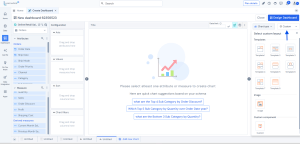
2. Click on edit to go to chart designer page.
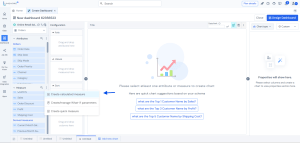
3. Click on create calculated measure as shown below:




4. Write the formula as shown for calculating previous month sales and current month sales. You can choose your own date and measure column based on your data:
5. Validate and save the measure.
6. You can then create 2 separate widgets or 1 custom widget to compare these side by side:
7. Apply formatting as per your need:
8. Go to the dashboard designer, arrange the card and publish.